
How to Merge Large PDF Files Without Uploading
Understand the real limits of a large PDF merge: the tested 5 GiB cap, measured memory and local-storage behavior, and what a failed run means.
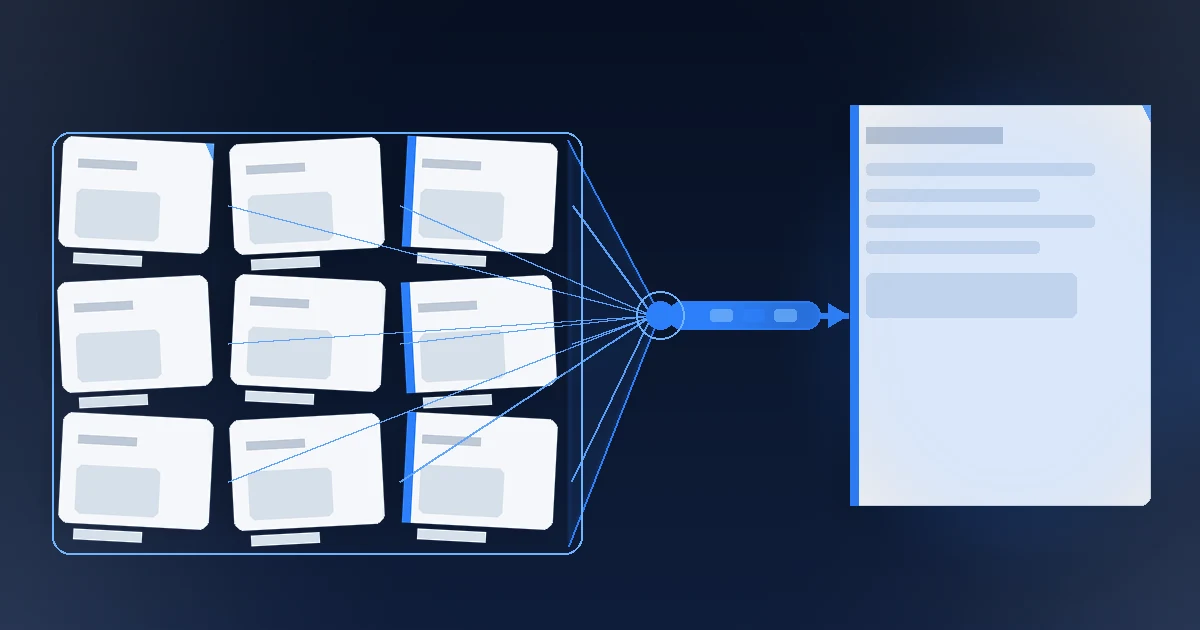
Large PDF merging is constrained by the shipped size cap, memory, and temporary space on your own computer. Nablyx processes the selected PDFs locally in your browser without uploading their contents to a Nablyx server; the per-file cap is 5 GiB, while the Merge PDF tool lists the combined-size and input-count limits. The cap is backed by full tool runs at 1, 3, 4, and 5 GiB with the merged output checked at every step, not extrapolated from smaller files.
Check the tool page for the current shipped limits
| Constraint | Shipped behavior |
|---|---|
| Files in one run | See the current input-count range on the tool page. |
| Largest single input | See the current per-file limit on the tool page. |
| All inputs combined | See the current combined-size limit on the tool page. |
| Above the cap | The run is not supported; reduce the batch or use another workflow. |
The per-file ceiling and total ceiling are intentionally aligned because a run is atomic. Because more than one PDF is required, a first file close to the per-file ceiling leaves little room for another input even when the file count itself remains within the supported range.
What the measured ladder says about memory and storage
The current evidence records these full runs through the shipped tool:
| Input size | Extra memory used | Peak temporary space |
|---|---|---|
| 1 GiB | 93.4 MiB | 1.19 GiB |
| 3 GiB | 263.4 MiB | 3.55 GiB |
| 4 GiB | 302.3 MiB | 4.73 GiB |
| 5 GiB | 458.1 MiB | 5.91 GiB |
Those numbers are test results, not a promise that every device will use the same amount of memory or temporary space. They do show two useful facts from the tested runs: memory did not rise one-for-one with the input size, while temporary space on the test computer reached 5.91 GiB for a 5 GiB input.
An equal-total test also changed only the shape of a 512 MiB workload. It measured 93.5 MiB of extra memory for 8 × 64 MiB files, 157.5 MiB for 4 × 128 MiB, and 270.1 MiB for 2 × 256 MiB. That is why the largest individual input matters for memory use, not only the combined total.
Why a merge can fail before the nominal cap
A file set can be within the published size limits and still be a poor fit for the current device. Browser-local processing needs temporary space and memory on your own computer. A device with little free space or memory can therefore reach its practical limit even when the selected files are below the published cap.
This is different from a server upload limit: the files are being processed on the device, so the device's own resources matter.
Failure is atomic, not partial
The merge operation is designed as one run. If an input is encrypted or corrupt, the run aborts and identifies its position in the input list instead of silently producing a partial merge. The completed PDF is also checked before download.
That means a failure should be treated as “fix the blocking input or resource condition and run again,” not as “use whatever partial output happened to be produced.”
What to do when a large merge fails
| Failure point | Next action |
|---|---|
| The selected files exceed the combined-size limit | Reduce the batch until the combined input is within the shipped cap. |
| One input is encrypted or corrupt | Unlock, repair, or replace the identified file, then rerun the complete merge. |
| The device is short on local storage | Free local storage or use a smaller batch; the measured 5 GiB run reached 5.91 GiB of temporary space. |
| The device cannot satisfy the memory check | Reduce the largest individual input or move the job to a device/workflow with more headroom. |
| The output check fails | Do not use the result; correct the suspect inputs and run the merge again. |
The companion local-merge guide answers a different question: why keeping PDF bytes on the device matters for privacy and how that affects tool choice. This page is about capacity and failure behavior.
See the transformation
Multiple PDFs combine into one document, in the order you set.
Your PDFs are combined on your device in the order you choose, and the result is checked before download.
Need to do this now?
Merge large PDFsRelated tools
Open the tool this guide is about, or explore a related one.